Vehicle Keeper 4.2.0





14 801
169
14 801
169
Vehicle Keeper
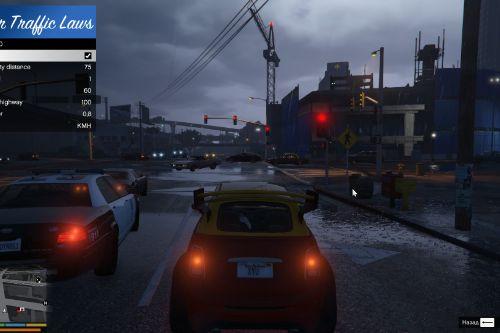
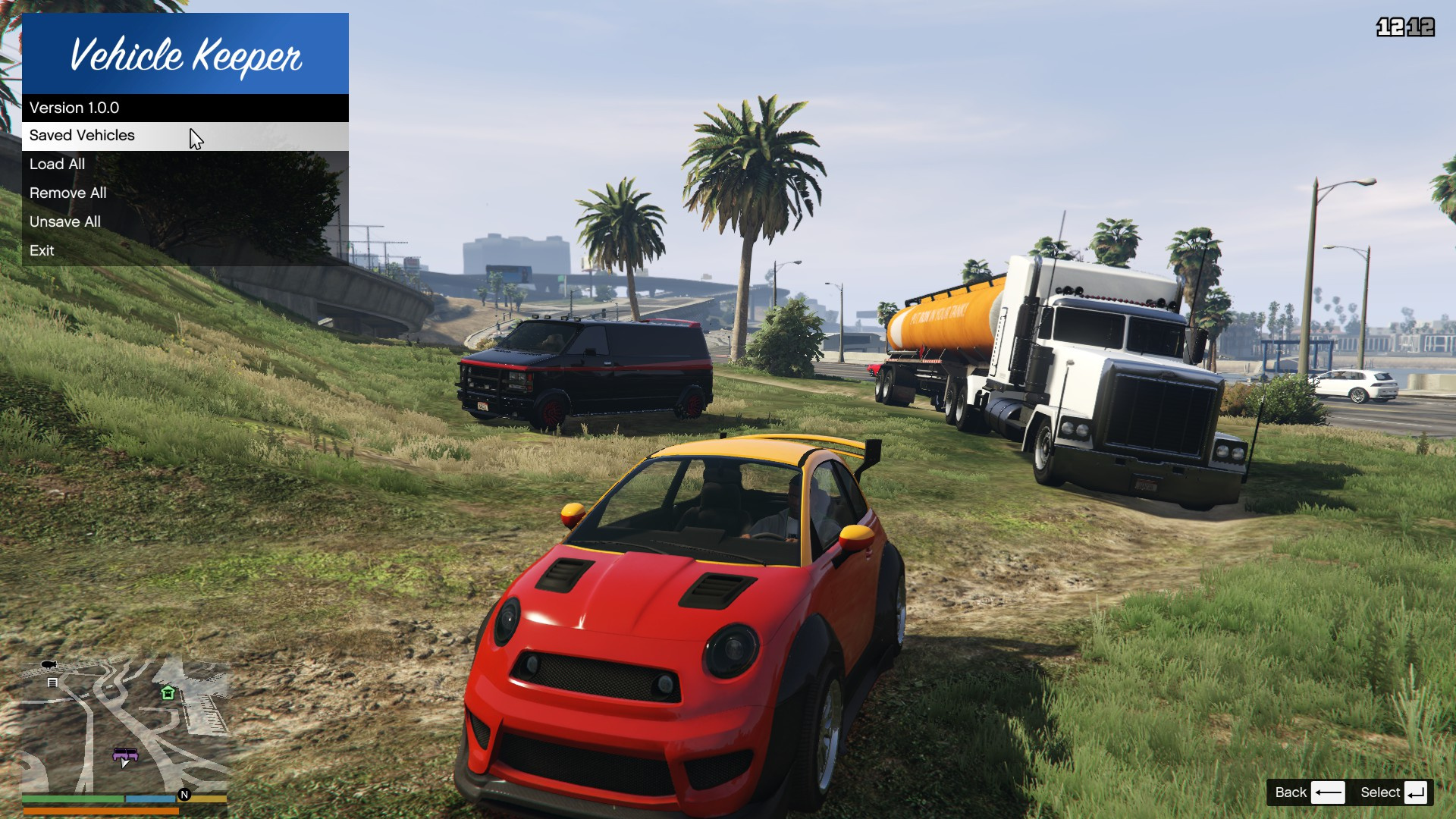
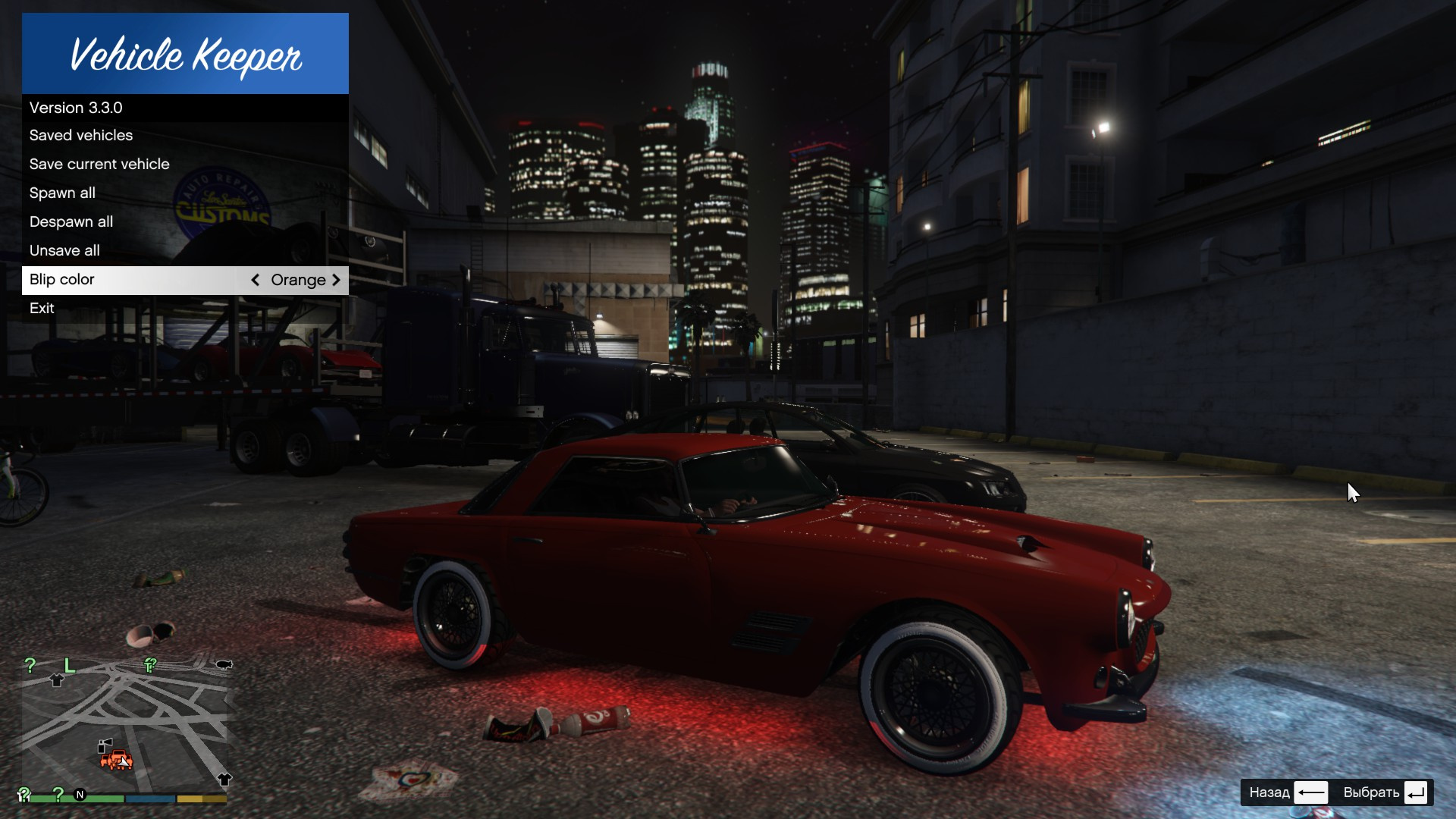
This mod allows you to preserve your favorite cars! It is compatible with Single Player Apartment mod.
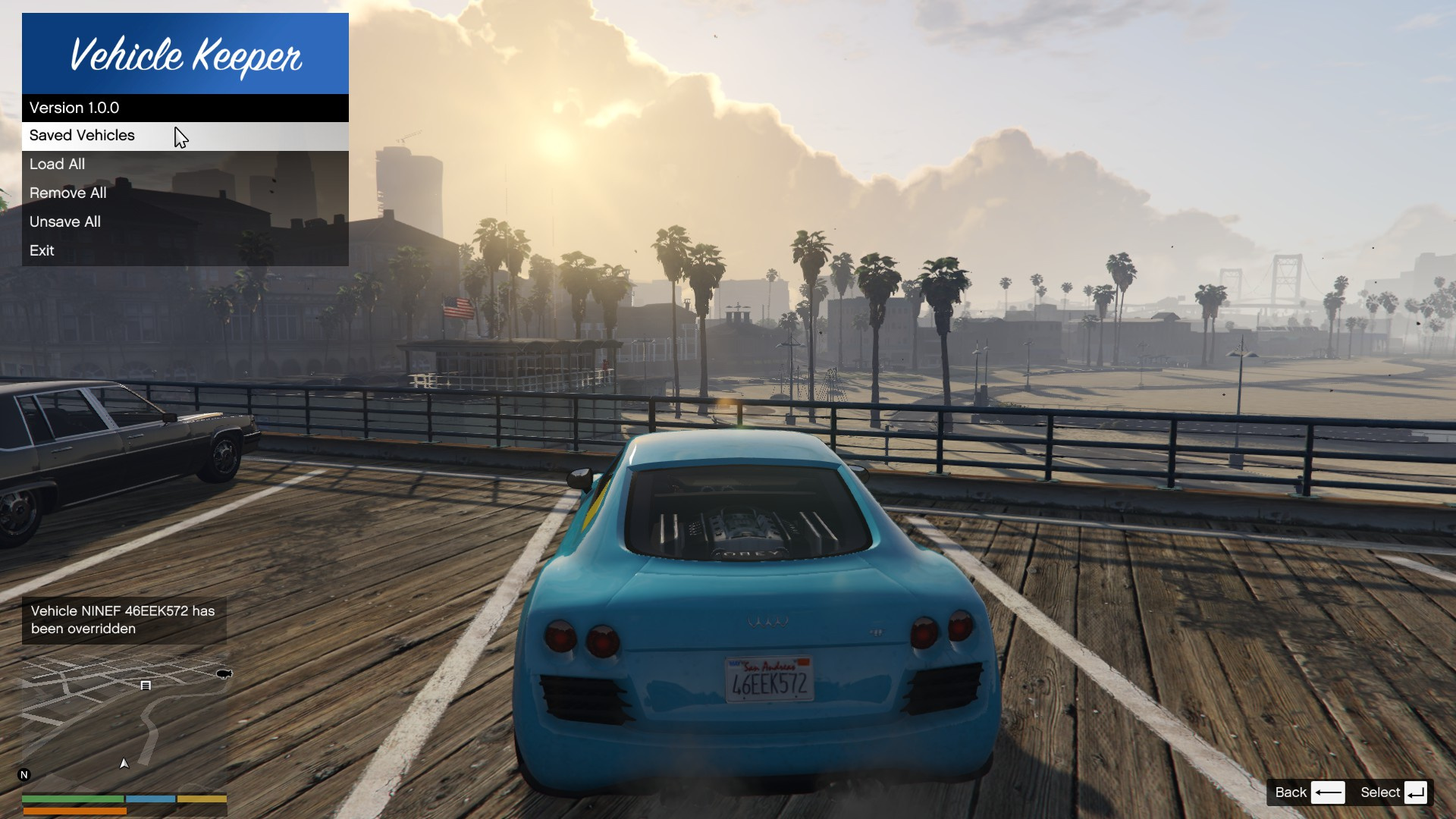
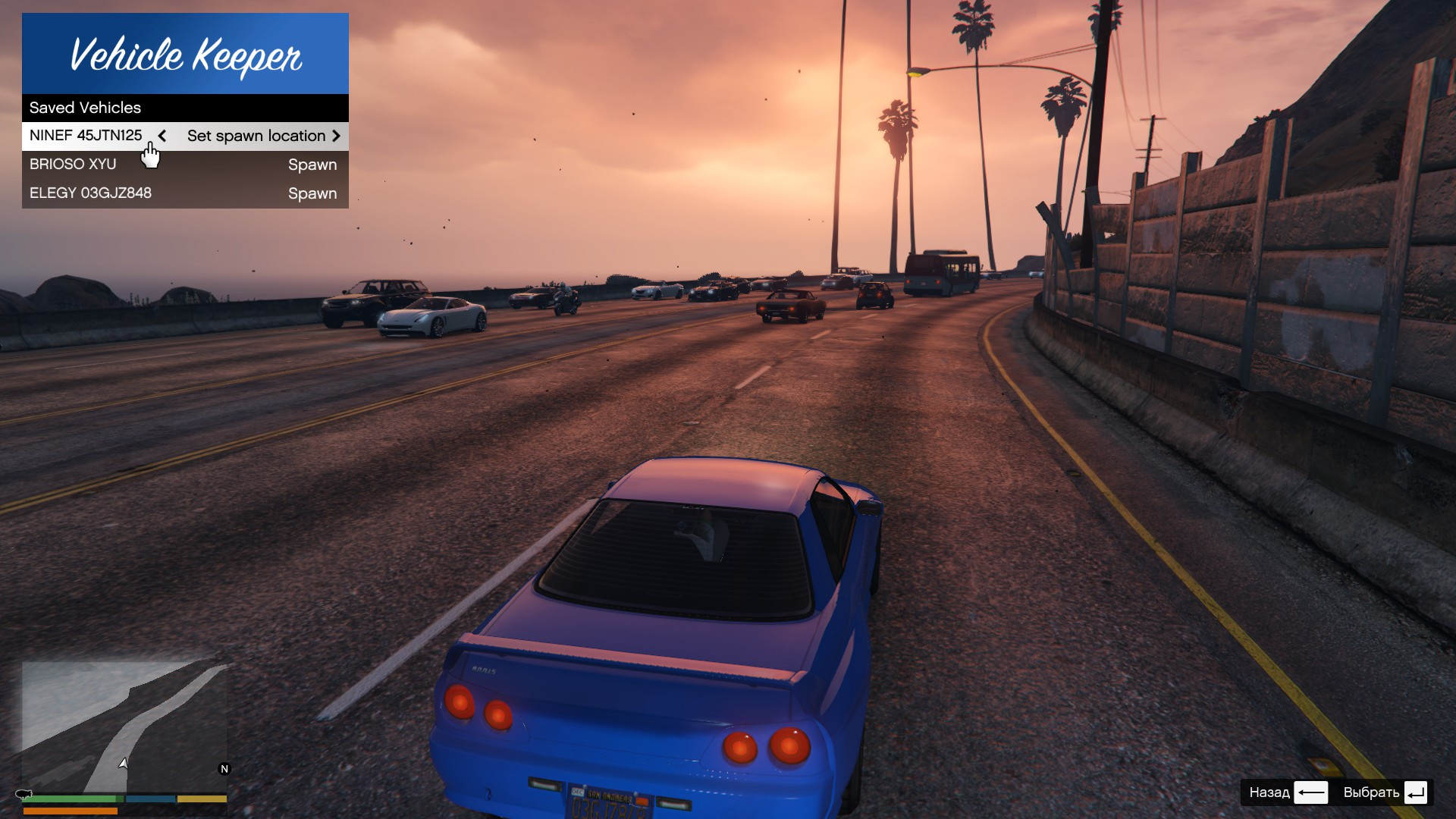
This modification is derived from the official Save Vehicles mod with a lot of refactoring and vast improvements. Vehicle preserves with all of the upgrades, fuel status and other different details. Saved vehicles identified by the vehicle model and vehicle number plate. So if you save the same vehicle model with exact same number plate - you will override the old one.
Mod data location
As of 3.7.1 the mod stores its data (log, VehicleKeeper.ini and saved vehicles) in %APPDATA%\GTA V Mods\KernelPryanic\VehicleKeeper instead of the game folder. This fixes the log and settings not updating on GTA V Enhanced, where the game locks every file inside the game directory for the whole session. If you are upgrading and want to keep your saved vehicles and settings, manually copy your old preserved-vehicles.json and VehicleKeeper.ini from your old scripts (or game root) folder into the new location above.
In order to update onto a new major version X.0.0 please remove scripts/VehicleKeeper directory due to possible incompatibility.
Dependencies
Default keys
Settings
Key mappings and capacity can be changed in VehicleKeeper.ini file.
Installation
Just extract content of VehicleKeeper.zip to root of your GTA 5 directory.
Or use my Vortex extension for GTA 5.
Known issues
Credits
Original mod: Save Vehicles (Permission given to modify)
Changelog
4.2.0
4.1.0
4.0.0
3.7.1
3.7.0
3.6.0
3.5.1
3.5.0
3.4.0
3.3.0
3.2.0
3.1.0
3.0.0
2.1.0
2.0.1
2.0.0
This mod allows you to preserve your favorite cars! It is compatible with Single Player Apartment mod.
This modification is derived from the official Save Vehicles mod with a lot of refactoring and vast improvements. Vehicle preserves with all of the upgrades, fuel status and other different details. Saved vehicles identified by the vehicle model and vehicle number plate. So if you save the same vehicle model with exact same number plate - you will override the old one.
Mod data location
As of 3.7.1 the mod stores its data (log, VehicleKeeper.ini and saved vehicles) in %APPDATA%\GTA V Mods\KernelPryanic\VehicleKeeper instead of the game folder. This fixes the log and settings not updating on GTA V Enhanced, where the game locks every file inside the game directory for the whole session. If you are upgrading and want to keep your saved vehicles and settings, manually copy your old preserved-vehicles.json and VehicleKeeper.ini from your old scripts (or game root) folder into the new location above.
In order to update onto a new major version X.0.0 please remove scripts/VehicleKeeper directory due to possible incompatibility.
Dependencies
Default keys
- Shift+T - Open menu
- Unset - Save vehicle
- Unset - Unsave vehicle
Settings
Key mappings and capacity can be changed in VehicleKeeper.ini file.
Installation
Just extract content of VehicleKeeper.zip to root of your GTA 5 directory.
Or use my Vortex extension for GTA 5.
Known issues
- Chrome paint type is not preserved yet.
- Visual body deformation (dents) is not preserved, only the body health value.
Credits
Original mod: Save Vehicles (Permission given to modify)
Changelog
4.2.0
- Menu now opens with Shift+T by default, and the Save/Unsave hotkeys are unbound out of the box so the mod no longer claims plain T/X/Z
- Any key can now be set to a combo (e.g. Shift,T) or to None to disable it in the INI
4.1.0
- Each saved vehicle is now stored in its own file, so saving many vehicles no longer rewrites the whole list every time
- Removed the saved-vehicle limit - save as many as you like
- Fix the menu not updating live when you save or unsave a vehicle (the list now refreshes without reopening)
- Fix unsaving the car you are sitting in being undone moments later
- More robust map blips (no longer break when a tracked vehicle despawns)
- Existing saved vehicles are migrated automatically - no action needed
4.0.0
- Saved vehicles are now stored as XML (preserved-vehicles.xml) instead of JSON
- Dropped the external Newtonsoft.Json dependency - the mod now ships as a single DLL
Breaking: old preserved-vehicles.json files are not read; you will need to re-save your vehicles after updating
3.7.1
- Fix log, settings and saved vehicles not updating on GTA V Enhanced - mod data now lives in %APPDATA%\GTA V Mods\KernelPryanic\VehicleKeeper, outside the game folder the game locks (see "Mod data location" above)
3.7.0
- Fix colors losing their matte/metallic/pearlescent finish on respawn
- Fix bulletproof tires not being preserved
- Fix roof modifications (e.g. Coquette Classic) not being saved
- Now saves vehicle extras (togglable body parts) and xenon light color
- Open and close the menu with the same key
- More reliable spawning of DLC/rare vehicles
- Fix log file landing in the game root and errors on the very first run
- Update for the latest ScriptHookVDotNet API
3.6.0
- Fix broken 3.5.1 version
- Cleanup blips in case of the mod reload
- Generate configuration on the first run instead of supplying the config file
3.5.1
- Remove dependencies from the archive as people seems to struggle installing the mod when all the dependencies included in the archive and possibly conflict with the installed ones
3.5.0
- Update SHVDN dependency to the latest version due to the NullReferenceException issue
- Migrate from NativeUI to LemonUI
- Add BlipDistance option to control how far from the player blips go out
3.4.0
- Fix mod crashing on character switch issue
- Fix for spamming erros on the first start when the preserved-vehicles.json doesn't exist yet
- Preserve the blip color choice
3.3.0
- Big performance optimization
- Fix "Unsave all" to unsave everything
- Fix for occasionally not saving trailers
3.2.0
- Fix game crashing issue
- Fix engine state upon spawn, now the mod correctly preserves state of the engine
- Add blip color selection
3.1.0
- Add ScriptHookVDotNet2 to the archive as it's still required for NativeUI
- Fix vehicle preserved health upon destruction
- Change logging format
3.0.0
- Move to the ScriptHookVDotNet 3.x.x
- Fix flickering menu
- Add option "Spawn nearby" to spawn a car nearby
- Add new Newtonsoft.Json.dll 13.0.1
- Add ScriptHookV to the archive
2.1.0
- Fix saving of turbo, xenon lights and tire smoke status
- Add Newtonsoft.Json.dll 12.0.2 to zip
2.0.1
- Update Newtonsoft.Json to 12.0.2
- Bug fixes
2.0.0
- Add ability to manipulate each vehicle separately
- Add ability to set vehicle's spawn position
- Bug fixes
Først Lastet opp: 27. juni 2019
Sist Oppdatert: 1 dag siden
Last Downloaded: 23 minutter siden
All Versions
64 Kommentarer
More mods by KernelPryanic:
Vehicle Keeper
This mod allows you to preserve your favorite cars! It is compatible with Single Player Apartment mod.
This modification is derived from the official Save Vehicles mod with a lot of refactoring and vast improvements. Vehicle preserves with all of the upgrades, fuel status and other different details. Saved vehicles identified by the vehicle model and vehicle number plate. So if you save the same vehicle model with exact same number plate - you will override the old one.
Mod data location
As of 3.7.1 the mod stores its data (log, VehicleKeeper.ini and saved vehicles) in %APPDATA%\GTA V Mods\KernelPryanic\VehicleKeeper instead of the game folder. This fixes the log and settings not updating on GTA V Enhanced, where the game locks every file inside the game directory for the whole session. If you are upgrading and want to keep your saved vehicles and settings, manually copy your old preserved-vehicles.json and VehicleKeeper.ini from your old scripts (or game root) folder into the new location above.
In order to update onto a new major version X.0.0 please remove scripts/VehicleKeeper directory due to possible incompatibility.
Dependencies
Default keys
Settings
Key mappings and capacity can be changed in VehicleKeeper.ini file.
Installation
Just extract content of VehicleKeeper.zip to root of your GTA 5 directory.
Or use my Vortex extension for GTA 5.
Known issues
Credits
Original mod: Save Vehicles (Permission given to modify)
Changelog
4.2.0
4.1.0
4.0.0
3.7.1
3.7.0
3.6.0
3.5.1
3.5.0
3.4.0
3.3.0
3.2.0
3.1.0
3.0.0
2.1.0
2.0.1
2.0.0
This mod allows you to preserve your favorite cars! It is compatible with Single Player Apartment mod.
This modification is derived from the official Save Vehicles mod with a lot of refactoring and vast improvements. Vehicle preserves with all of the upgrades, fuel status and other different details. Saved vehicles identified by the vehicle model and vehicle number plate. So if you save the same vehicle model with exact same number plate - you will override the old one.
Mod data location
As of 3.7.1 the mod stores its data (log, VehicleKeeper.ini and saved vehicles) in %APPDATA%\GTA V Mods\KernelPryanic\VehicleKeeper instead of the game folder. This fixes the log and settings not updating on GTA V Enhanced, where the game locks every file inside the game directory for the whole session. If you are upgrading and want to keep your saved vehicles and settings, manually copy your old preserved-vehicles.json and VehicleKeeper.ini from your old scripts (or game root) folder into the new location above.
In order to update onto a new major version X.0.0 please remove scripts/VehicleKeeper directory due to possible incompatibility.
Dependencies
Default keys
- Shift+T - Open menu
- Unset - Save vehicle
- Unset - Unsave vehicle
Settings
Key mappings and capacity can be changed in VehicleKeeper.ini file.
Installation
Just extract content of VehicleKeeper.zip to root of your GTA 5 directory.
Or use my Vortex extension for GTA 5.
Known issues
- Chrome paint type is not preserved yet.
- Visual body deformation (dents) is not preserved, only the body health value.
Credits
Original mod: Save Vehicles (Permission given to modify)
Changelog
4.2.0
- Menu now opens with Shift+T by default, and the Save/Unsave hotkeys are unbound out of the box so the mod no longer claims plain T/X/Z
- Any key can now be set to a combo (e.g. Shift,T) or to None to disable it in the INI
4.1.0
- Each saved vehicle is now stored in its own file, so saving many vehicles no longer rewrites the whole list every time
- Removed the saved-vehicle limit - save as many as you like
- Fix the menu not updating live when you save or unsave a vehicle (the list now refreshes without reopening)
- Fix unsaving the car you are sitting in being undone moments later
- More robust map blips (no longer break when a tracked vehicle despawns)
- Existing saved vehicles are migrated automatically - no action needed
4.0.0
- Saved vehicles are now stored as XML (preserved-vehicles.xml) instead of JSON
- Dropped the external Newtonsoft.Json dependency - the mod now ships as a single DLL
Breaking: old preserved-vehicles.json files are not read; you will need to re-save your vehicles after updating
3.7.1
- Fix log, settings and saved vehicles not updating on GTA V Enhanced - mod data now lives in %APPDATA%\GTA V Mods\KernelPryanic\VehicleKeeper, outside the game folder the game locks (see "Mod data location" above)
3.7.0
- Fix colors losing their matte/metallic/pearlescent finish on respawn
- Fix bulletproof tires not being preserved
- Fix roof modifications (e.g. Coquette Classic) not being saved
- Now saves vehicle extras (togglable body parts) and xenon light color
- Open and close the menu with the same key
- More reliable spawning of DLC/rare vehicles
- Fix log file landing in the game root and errors on the very first run
- Update for the latest ScriptHookVDotNet API
3.6.0
- Fix broken 3.5.1 version
- Cleanup blips in case of the mod reload
- Generate configuration on the first run instead of supplying the config file
3.5.1
- Remove dependencies from the archive as people seems to struggle installing the mod when all the dependencies included in the archive and possibly conflict with the installed ones
3.5.0
- Update SHVDN dependency to the latest version due to the NullReferenceException issue
- Migrate from NativeUI to LemonUI
- Add BlipDistance option to control how far from the player blips go out
3.4.0
- Fix mod crashing on character switch issue
- Fix for spamming erros on the first start when the preserved-vehicles.json doesn't exist yet
- Preserve the blip color choice
3.3.0
- Big performance optimization
- Fix "Unsave all" to unsave everything
- Fix for occasionally not saving trailers
3.2.0
- Fix game crashing issue
- Fix engine state upon spawn, now the mod correctly preserves state of the engine
- Add blip color selection
3.1.0
- Add ScriptHookVDotNet2 to the archive as it's still required for NativeUI
- Fix vehicle preserved health upon destruction
- Change logging format
3.0.0
- Move to the ScriptHookVDotNet 3.x.x
- Fix flickering menu
- Add option "Spawn nearby" to spawn a car nearby
- Add new Newtonsoft.Json.dll 13.0.1
- Add ScriptHookV to the archive
2.1.0
- Fix saving of turbo, xenon lights and tire smoke status
- Add Newtonsoft.Json.dll 12.0.2 to zip
2.0.1
- Update Newtonsoft.Json to 12.0.2
- Bug fixes
2.0.0
- Add ability to manipulate each vehicle separately
- Add ability to set vehicle's spawn position
- Bug fixes
Først Lastet opp: 27. juni 2019
Sist Oppdatert: 1 dag siden
Last Downloaded: 23 minutter siden
 5mods on Discord

Seems that the SHVDN issue was fixed in the build nighlty.115 (https://github.com/scripthookvdotnet/scripthookvdotnet-nightly/releases/tag/v3.6.0-nightly.115), if you got any issues, please try this or the newer one (>= nightly.115).
Great mod, definitely the best option to save vehicles yet! I've run into two small, but annoying, bugs:
1. It doesn't seem to save the roof modifications on some vehicles that allow a modified roof (like the coquette classic)
2. It doesn't seem to save tire modifications. My tires aren't bulletproof anymore when I respawn the vehicle. On top of that once the tires are destroyed the vehicle will respawn with busted tires, even though I have not overwritten the save.
@ObiJuanKenobi I think you need the latest version of simple trainer, its supposed to fix that but a new version is out that I'm guessing supports the latest version.
Is this also compatible with Single Player Garage?
Please mind the message in SHVDN release as one of the latest game updates broke some compatibility with the older SHVDN library. So if you get any issues with the mod, please try to update SHVDN to the latest nightly build downloaded from https://github.com/scripthookvdotnet/scripthookvdotnet-nightly/releases
Thank you so much for this mod! I really appreciate your making and sharing it! I'm having trouble with it not saving any mods I make to the car. It always just gives me a generic version of my saved car when I restart the game. Any ideas about the culprit? I'm using LemonUI, nightly version of SHVDN, and VisualV. I'm also using ATM Robberies, but this was happening before installing it too.
Hello @iceniq, I'll try to check this in the nearest days, don't have much time lately.
@iceniq the mod was indeed broken, I accidentally used the latest nightly built of SHVDN, so if the older version of SHVDN was used, mode was crashing, sorry! Now everything should be good, try the 3.6.0 version after admins approve it.
Color doesn't save properly. Matte becomes non-matte, metallic midnight purple becomes dark blue, pearlescent disappears...
Greetings, I really liked the mod, what I was missing, but tell me how to change the purpose of the key to save the transport, there is no Vehicle Keeper.ini file in the downloaded directory.
and one more question, after restarting the game, with a preliminary save, all saved cars disappear, how to fix it?
Bro can u pls say name of the garage and the purchasable houses. and I dk works it on enhanced or not, can u pls make instructions file?
Nice mod but freemode players can't save vehicles, will it be possible for freemode too, thanks for sharing
@aldian0, I'll take a look
@aldian0, the mod already works with any characters, it's not connected to the player identity
@null_pointer Yes the mod works well for main players but for freemode players when click spawn vehicle and the information on the bottom left screen says the vehicle has successfully spawned but the vehicle is not there, to be able to spawn the freemode player vehicle, click spawn first then click despwan then click spawn again then the vehicle will be available. I use gta 5 legacy, my suggestion is to remove the X and Z keys because the T key for that menu is enough. Save or Unsave is already in the menu so the X and Z keys can be used for other mods, in your mod description page it says "Key mappings and capacity can be changed in VehicleKeeper.ini file" in my script folder there is no VehicleKeeper.ini there is only VehicleKeeper.dll. I really like your mod because it can save modified vehicles, thank you for sharing
@aldian0 Hm, this is weird, maybe it's due to some changes in legacy, anyways please make sure you use the latest SHVDN https://www.gta5-mods.com/tools/script-hook-v-net-enhanced as it should work with legacy too. Regarding unbinding - good idea, I'll add an ability to free hotkeys in the next update. Also note that configs are now at %APPDATA%\GTA V Mods\KernelPryanic\VehicleKeeper because GTA Enhanced locks game folder completely so it's impossible to update configs/logs that live in there.
@null_pointer Yes, I've been using the latest Script Hook V .Net Enhanced [Legacy + Enhanced] because if I use the nightly one it won't work, maybe it's because it clashes with other mods or for some reason I don't understand, this is enough for me but hearing there will be an update would be very nice, thanks for sharing
@null_pointer it's actually possible to update logs and configs by using DirectStorageFix by alloc8or!
@Chiheb-Bacha yeah, thanks for the info) I recently found this out, but let's keep configs in %APPDATA%, avoiding possible issues with updates from Rockstars and also this way they survive game removals, so next time you install the game and the mod - your vehicles and configs should be intact :)